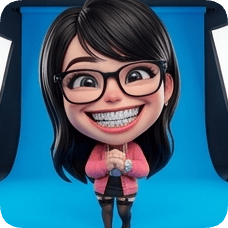
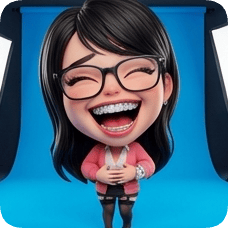
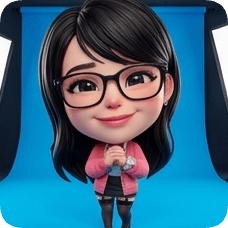
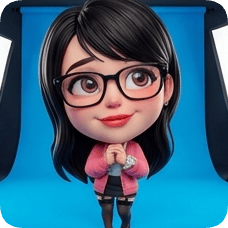
Turn hard lessons into flashcards that stick.

Upload a lesson image or concept note and get visual flashcards students remember.

  • Teach faster with pictures that make ideas click.
  • Try different looks without rebuilding your deck.
  • Great for class slides, review packs, and homework sheets.

Where this helps

01

You need tomorrow's review set tonight

You already know the terms to cover but still need visuals that students can remember quickly.

02

Your class has mixed learning styles

Text-only cards lose attention. Visual cards help more students keep up in one lesson.

03

You tutor several subjects every week

You want one repeatable way to make clear study cards without redrawing everything by hand.

Why teachers use this

01

It turns abstract concepts into visuals students recall faster.

02

You can build consistent card sets without extra design time.

03

It works for classroom teaching, tutoring, and self-study prep.

Try it now

Upload your lesson reference and generate visual flashcards fast.

Education

AI Flashcard Image Generator

Memory-friendly flashcard visuals

🎨
Current style
Clean Vector
Ready to create?
Upload a photo, pick a style, and adjust expressions to get a lifelike result.
Upload Reference Image
📷
Drag & drop or click to upload a reference image
JPG · PNG · WEBP · Max 10MB
Pick a glossy 3D look: lifelike, action figure, animated movie, cartoon, or anime
3D style & material
Choose the number of panels and layout
Expression grid
Expression library · Panel directives
Expressions & poses
Selected 1/1
Joyful Laugh
JL
Joyful Laugh
Joyful Laugh
Expression
HG
Huge Grin
Huge Grin
Expression
BL
Belly Laugh
Belly Laugh
Expression
G&
Giggle & Blush
Giggle & Blush
Expression
GS
Gentle Smile
Gentle Smile
Expression
LG
Loving Gaze
Loving Gaze
Expression
Premium gradients for cinematic packaging
Gradient backgrounds
Rose Pop
#FF4D6D
01
Upload your photo
Use a clear portrait to keep identity and details.
02
Set style & params
Grid, expressions, and backgrounds shape the final look.
03
Generate & review
Preview your result and iterate quickly.
Why do I need to upload an image first?
This effect uses image-to-image generation to preserve identity and details.
Do I need to fill every parameter?
Grid panels and expression count must match to generate a complete layout.
How long does generation take?
It depends on model and resolution, usually seconds to a few minutes.
How do I keep styles consistent?
Use clear portraits, reduce occlusion, and keep expressions/backgrounds aligned.
Create your character now
Start from a photo and generate a lifelike character.
Start now

How it works

1

Drop in your concept

Use a worksheet snippet, a topic note, or a quick reference image from class.

2

Pick the learning vibe

Go simple, playful, or diagram-first depending on your students and lesson goal.

3

Use the cards right away

Save your favorites and add them to quizzes, slides, and revision handouts.

FAQ

Do I need to upload perfect source images?

No. A clear screenshot or quick reference image is usually enough.

Can I use this for younger students too?

Yes. Visual flashcards work across age groups and reading levels.

Can I make a full deck in one style?

Yes. Keep the same look across cards for a cleaner study set.

Is this useful for tutors and online classes?

Yes. Tutors use it for live sessions and take-home review packs.

Make your next lesson easier to remember.

Create visual flashcards your students can learn from right away.
You might also like