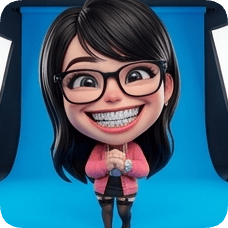
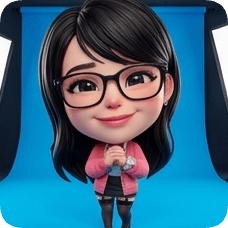
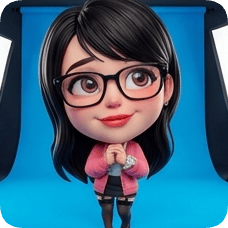
Keep a loved one close with a memorial portrait.

Upload a cherished photo and create a gentle memorial portrait you can print or share with family.

  • Turn one meaningful photo into lasting artwork.
  • Try calm, warm, and classic portrait moods.
  • Useful for remembrance pages, cards, and framed gifts.

Where families use this

01

You are preparing a remembrance tribute

You want a portrait that feels personal and respectful for the memorial page.

02

Your family wants one shared image

A single memorial portrait helps everyone use the same photo with care.

03

You want to keep a framed memory at home

You are looking for an image that feels gentle and meaningful for everyday remembrance.

Why people use this

01

It helps families create a respectful visual memory quickly.

02

It offers multiple portrait moods from one treasured photo.

03

It supports both private keepsakes and shared remembrance use.

Try it now

Upload your photo and create a memorial portrait in seconds.

Culture & Nonprofit

AI Memorial Portrait

Memorial art portraits

🎨
Current style
Soft Painterly
Ready to create?
Upload a photo, pick a style, and adjust expressions to get a lifelike result.
Upload Reference Image
📷
Drag & drop or click to upload a reference image
JPG · PNG · WEBP · Max 10MB
Pick a glossy 3D look: lifelike, action figure, animated movie, cartoon, or anime
3D style & material
Choose the number of panels and layout
Expression grid
Expression library · Panel directives
Expressions & poses
Selected 1/1
Joyful Laugh
JL
Joyful Laugh
Joyful Laugh
Expression
HG
Huge Grin
Huge Grin
Expression
BL
Belly Laugh
Belly Laugh
Expression
G&
Giggle & Blush
Giggle & Blush
Expression
GS
Gentle Smile
Gentle Smile
Expression
LG
Loving Gaze
Loving Gaze
Expression
Premium gradients for cinematic packaging
Gradient backgrounds
Rose Pop
#FF4D6D
01
Upload your photo
Use a clear portrait to keep identity and details.
02
Set style & params
Grid, expressions, and backgrounds shape the final look.
03
Generate & review
Preview your result and iterate quickly.
Why do I need to upload an image first?
This effect uses image-to-image generation to preserve identity and details.
Do I need to fill every parameter?
Grid panels and expression count must match to generate a complete layout.
How long does generation take?
It depends on model and resolution, usually seconds to a few minutes.
How do I keep styles consistent?
Use clear portraits, reduce occlusion, and keep expressions/backgrounds aligned.
Create your character now
Start from a photo and generate a lifelike character.
Start now

How it works

1

Upload the photo

Choose a photo that feels most true to how you remember them.

2

Pick the portrait mood

Try styles and keep the one that feels most comforting.

3

Save and share

Use the final portrait for family messages, remembrance pages, or print.

FAQ

What kind of photo should we use?

Choose a clear photo that best reflects your loved one.

Can we try multiple portrait styles?

Yes. You can compare several looks and keep the one that feels right.

Is this suitable for memorial pages and cards?

Yes. Families often use it for tribute pages and printed materials.

Can we use it for a framed keepsake?

Yes. Many families save and print the final portrait.

Create a portrait that keeps their memory close.

Turn one cherished photo into a lasting memorial image.

You might also like