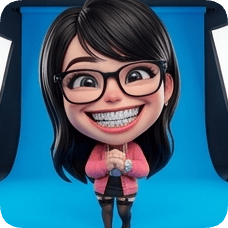
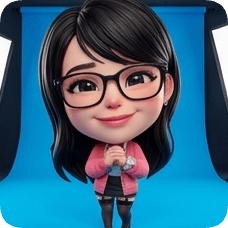
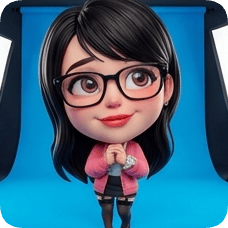
Create postcard visuals from your photos in minutes.

Upload travel or event images and generate postcard-style designs for print or digital sharing.

  • Turn favorite moments into shareable postcard art.
  • Try multiple styles without manual layout work.
  • Useful for travel memories, campaigns, and brand mailers.

Where people use this

01

You want to share travel memories differently

A postcard look feels more intentional than posting another gallery image.

02

You need visuals for an event campaign

Postcard-style graphics work well for invites, thank-you notes, and follow-ups.

03

You are preparing branded mailer concepts

You need quick visual options before final print decisions.

Why people use this

01

It gives ordinary photos a clear postcard format quickly.

02

It helps teams and individuals test multiple visual directions.

03

It supports both personal sharing and marketing use cases.

Try it now

Upload your photo and create postcard visuals in seconds.

Travel & Hospitality

AI Postcard Generator

Postcard layouts

🎨
Current style
Classic Postcard
Ready to create?
Upload a photo, pick a style, and adjust expressions to get a lifelike result.
Upload Reference Image
📷
Drag & drop or click to upload a reference image
JPG · PNG · WEBP · Max 10MB
Pick a glossy 3D look: lifelike, action figure, animated movie, cartoon, or anime
3D style & material
Choose the number of panels and layout
Expression grid
Expression library · Panel directives
Expressions & poses
Selected 1/1
Joyful Laugh
JL
Joyful Laugh
Joyful Laugh
Expression
HG
Huge Grin
Huge Grin
Expression
BL
Belly Laugh
Belly Laugh
Expression
G&
Giggle & Blush
Giggle & Blush
Expression
GS
Gentle Smile
Gentle Smile
Expression
LG
Loving Gaze
Loving Gaze
Expression
Premium gradients for cinematic packaging
Gradient backgrounds
Rose Pop
#FF4D6D
01
Upload your photo
Use a clear portrait to keep identity and details.
02
Set style & params
Grid, expressions, and backgrounds shape the final look.
03
Generate & review
Preview your result and iterate quickly.
Why do I need to upload an image first?
This effect uses image-to-image generation to preserve identity and details.
Do I need to fill every parameter?
Grid panels and expression count must match to generate a complete layout.
How long does generation take?
It depends on model and resolution, usually seconds to a few minutes.
How do I keep styles consistent?
Use clear portraits, reduce occlusion, and keep expressions/backgrounds aligned.
Create your character now
Start from a photo and generate a lifelike character.
Start now

How it works

1

Upload your photo

Use destination shots, event photos, or product images.

2

Pick the postcard style

Try vintage, modern, or playful directions based on your goal.

3

Download and share

Use the final postcard in print workflows or digital campaigns.

FAQ

Can I use phone photos for postcard designs?

Yes. Phone photos work for most postcard concepts.

Can I make several postcard styles from one image?

Yes. You can compare multiple looks in one session.

Is this useful for printed postcards?

Yes. Teams and individuals use it for print planning.

Can I use this for event promotions too?

Yes. Postcard visuals work well for campaigns and invites.

Turn moments into postcard designs worth sending.

Create postcard-style visuals for print, sharing, and campaigns.

You might also like