메뉴
✨ Curated
Curated
Hand-picked custom styles from the user.
✏️
현재 스타일
Doodle Vector Portrait
Minimalist
Makes a minimalist 2D character illustration from your photo. It keeps your likeness but simplifies everything into bold, rounded shapes. Perfect for profile pictures or just a fun new look.
Drop in a photo
Any clear photo of a face works. A selfie, a headshot, even a candid shot from a party.
- A selfie from your phone
- A LinkedIn profile picture
- A fun photo from a friend's birthday
참고 이미지 업로드
패널 수와 레이아웃을 선택하세요
표정 그리드
표정 라이브러리 · 패널 지침
표정 및 포즈
선택됨 1/1
즐거운 웃음
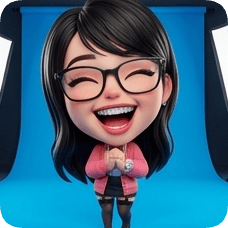
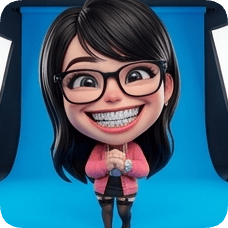
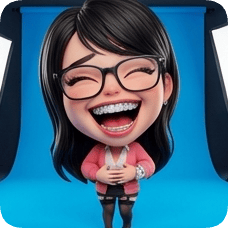
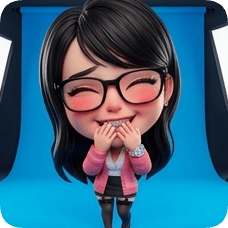
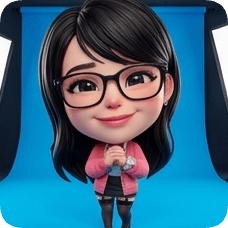
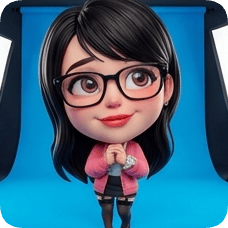
영화 같은 패키지를 위한 프리미엄 그라데이션
그라데이션 배경
Rose Pop
#FF4D6D
Your face, drawn with a marker.
Upload a photo — get back a clean, minimalist character portrait.
Ever wanted to see yourself as a simple, friendly cartoon? This turns you into a 2D doodle. It's for anyone who wants a playful, clean version of themselves for a profile picture or just to share with friends. No drawing skills needed.
Vector DoodleWhat does it look like?
You become a 2D vector character. Think bold, rounded shapes for your hair and clothes, simple black dot eyes, and a cute expressive mouth. The colors are flat and clean, like something drawn with a thick marker.
Still looks like you
Your face shape and unique features are kept, just simplified. People will know it's you, just in a fun new style.
Clean and simple
No messy lines or complicated shading. It's a crisp, minimalist look that works great as a small icon or a big picture.
Ready to use
Save it and put it anywhere. It already has a transparent background, so you can drop it onto posters, websites, or just use it as your profile pic.
When do people use this?
A fresh profile picture
Your current photo feels a bit stale. A doodle version of you is more playful and memorable, and it doesn't feel as serious as a regular headshot.
Making a group avatar
You and your friends want matching icons for a group chat or a project. This style makes everyone look cohesive and fun without needing to coordinate outfits.
Just for fun
You're curious what you'd look like as a cartoon character. It takes a minute, and you get to share a surprising and cool result with people.
What can you adjust?
Line thickness
Make the outlines bolder for a graphic look, or thinner for something more delicate.
Color palette
Pick from a few preset color moods, like bright and playful or soft and muted.
Expression tweak
Nudge the smile a bit bigger or change the eyebrow shape to get just the right vibe.
How it works
1
Pick a photo
Any photo where your face is clear works. It doesn't have to be a perfect studio shot. A selfie is fine.
2
See your doodle
Wait a few seconds. You'll see a preview of your new cartoon self. It's fun to see the transformation.
3
Save and share
If you like it, download it. The file is ready to use. If you want to try a different look, you can adjust a few things without starting over.
Questions people ask
What kind of photo works best?
A clear photo of your face, looking at the camera. But honestly, most photos work. Even ones with glasses or hats.
Can I use a photo with other people in it?
It works best with one person. If there are multiple faces, it'll focus on the one that's most central and clear.
What if I don't like how it turned out?
You can tweak things like the line style or colors right there. Or just try a different photo — sometimes a different angle or expression gives a better result.
Is this just for faces?
It's made for portraits, so it focuses on your face and shoulders. Full-body shots might not work as well.
Your doodle self is one photo away.
It takes about a minute. See what you look like as a clean, simple character.