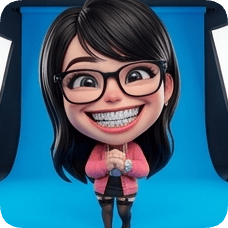
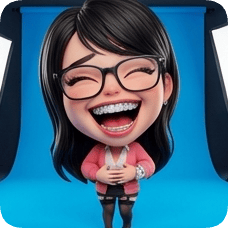
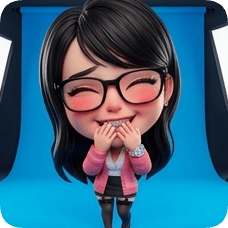
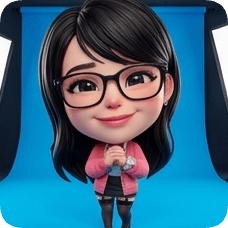
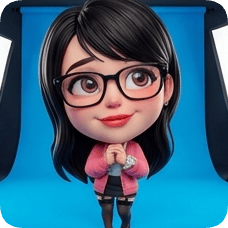
See yourself as a Pixar-style character in one upload.

Upload a portrait photo and create character-style visuals for avatars, posts, and creator profiles.

  • Turn one portrait into a playful character look.
  • Try multiple character styles without starting over.
  • Great for creator branding and social profile updates.

Why people use this

01

It gives your profile a distinct character style quickly.

02

You can explore several looks from one upload.

03

It is ready for immediate use on social platforms.

Where people use this

01

You want a new creator avatar

A character-style profile image feels more memorable than a standard selfie.

02

You need safer privacy for public profiles

You want a personal image without posting your real face everywhere.

03

Your channel branding needs a visual refresh

Character visuals help your profile feel fun, clear, and recognizable.

Try it now

Upload your portrait and create a Pixar-style character in seconds.

Avatar & Cartoon

AI Pixar Character Generator

Pixar-inspired character art

🎨
Current style
Pixar
Ready to create?
Upload a photo, pick a style, and adjust expressions to get a lifelike result.
Upload Reference Image
📷
Drag & drop or click to upload a reference image
JPG · PNG · WEBP · Max 10MB
Pick a glossy 3D look: lifelike, action figure, animated movie, cartoon, or anime
3D style & material
Choose the number of panels and layout
Expression grid
Expression library · Panel directives
Expressions & poses
Selected 1/1
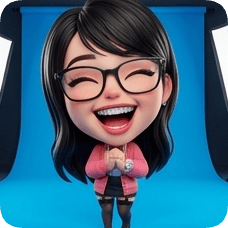
Joyful Laugh
JL
Joyful Laugh
Joyful Laugh
Expression
HG
Huge Grin
Huge Grin
Expression
BL
Belly Laugh
Belly Laugh
Expression
G&
Giggle & Blush
Giggle & Blush
Expression
GS
Gentle Smile
Gentle Smile
Expression
LG
Loving Gaze
Loving Gaze
Expression
Premium gradients for cinematic packaging
Gradient backgrounds
Rose Pop
#FF4D6D
01
Upload your photo
Use a clear portrait to keep identity and details.
02
Set style & params
Grid, expressions, and backgrounds shape the final look.
03
Generate & review
Preview your result and iterate quickly.
Why do I need to upload an image first?
This effect uses image-to-image generation to preserve identity and details.
Do I need to fill every parameter?
Grid panels and expression count must match to generate a complete layout.
How long does generation take?
It depends on model and resolution, usually seconds to a few minutes.
How do I keep styles consistent?
Use clear portraits, reduce occlusion, and keep expressions/backgrounds aligned.
Create your character now
Start from a photo and generate a lifelike character.
Start now

How it works

1

Upload your portrait photo

Any clear selfie or headshot can work as a starting point.

2

Pick the character vibe

Try styles until one feels like your new profile look.

3

Use it anywhere

Set it as your avatar on social, communities, and creator pages.

FAQ

What kind of photo should I upload?

A clear selfie or headshot works best.

Can I try multiple character styles?

Yes. You can generate several options and pick your favorite.

Can I use this as my channel avatar?

Yes. It is commonly used for creator and community profiles.

Will it still feel like me?

Yes. The style changes, but your main look stays familiar.

Your character version is one photo away.

Create a Pixar-style profile image and use it today.
You might also like