選單
✨ Curated
Curated
Hand-picked custom styles from the user.
✏️
目前風格
Doodle Vector Portrait
Vector
Turns your photo into a clean, minimalist 2D vector character. It's for anyone who wants a simple, bold illustration that keeps their vibe.
Any photo works
Drop in a photo of yourself. It doesn't need to be a studio shot. The style simplifies everything.
- A selfie from your phone
- A headshot from work
- A casual photo with friends
- A picture where your face is clear
上傳參考圖片
選擇面板數量和佈局
表情網格
表情庫 · 面板指令
表情與姿勢
已選取 1/1
開心大笑
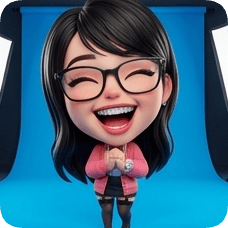
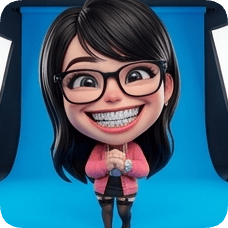
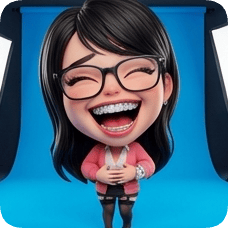
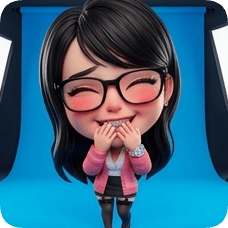
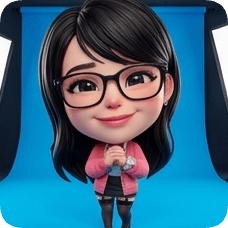
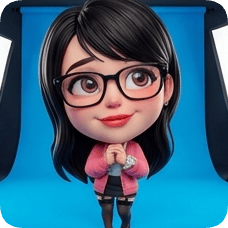
高品質漸層背景,營造電影感包裝視覺。
漸層背景
Rose Pop
#FF4D6D
Ever doodled yourself? Now you can.
Upload a photo — get back a clean, bold vector portrait.
This is for people who love simple, expressive art. It's not about fancy details. It's about capturing your look in a few bold shapes. Perfect for when you want something that's unmistakably you, but stripped down to its essentials.
Vector ArtWhat makes this different
It creates a minimalist 2D vector character. Everything gets simplified into rounded, bold shapes. You get black dot eyes and a simple mouth. The colors are usually flat and bright. It feels playful and clean.
Looks unmistakably like you
Your face stays recognizable. It's simplified, not replaced. You'll see your own features in the bold shapes.
Clean and easy to use
The result is a simple graphic. You can save it and use it anywhere — profile pictures, stickers, or just to share.
Playful vibe
It feels fun and light. It's not a serious portrait. It's more like a friendly doodle of yourself.
When does this actually make sense?
Updating your profile picture
You want something fresh but don't want a regular photo. A doodle version of you is more memorable and feels more personal.
Making a sticker or icon
You need a simple graphic of yourself for a project, a chat avatar, or a custom sticker. This gives you a clean, scalable vector to work with.
Just for fun
You're curious to see yourself drawn in a simple, bold style. It's a quick way to get a playful new version of your photo.
Style options
Boldness
Adjust how thick and rounded the shapes are. More bold feels stronger and simpler.
Color palette
Pick a set of colors for your portrait. Some are bright and playful, others are more muted.
Line detail
Control how many extra lines or details appear. Less detail means a cleaner, more minimalist look.
Three steps, that's it
1
Pick a photo
A selfie, a headshot, a candid — it doesn't have to be perfect. The style simplifies everything anyway.
2
See your doodle
Wait a moment. You'll see a bold, simplified version of yourself appear. It's still you, just drawn.
3
Save and share
Download the vector graphic. You can use it right away. No extra steps, no complicated edits.
Questions people actually ask
What kind of photo should I upload?
Any photo where your face is clear works best. But even a casual one is fine — the style simplifies everything.
Will it look exactly like me?
Yes, your likeness is kept. It's simplified into bold shapes, but you'll recognize your own features.
Can I change the colors?
Yes, you can pick different color palettes before you generate your portrait.
What if I don't like the result?
Just try again or tweak the style options. Sometimes a different photo or setting gives a better fit.
Your doodle version is one photo away.
Try it. It takes about a minute. See yourself drawn in a simple, bold style.